FileMarker.NET Pro
Version: 2.3
File Size: 12.8 Mb
Price: $34.95
No Spyware or Adware!
or Windows 11,
x32 or x64 editions.
NTFS-formatted hard drive
What's new in FileMarker.NET 2.2
We have modernized all icons and added 59 more to the Pro version. We have also added a Home edition and the ability to supplement app with additional icon sets. Many visual and algorithmic improvements have been made to meet the requirements of Windows 10/11 and modern high-definition monitors. This is why this update is highly recommended for Windows 10/11 users.
This update is free for those who bought FileMarker.NET Pro after May 24, 2023. If you bought FileMarker.NET earlier, you will need to pay an update fee. Click the "Prolong My License" button directly in the software to get the discounted upgrade price.
So, here is a list of changes
The Home edition of FileMarker.NET has been added
It has more features than the Free version but fewer than the Pro version. It is primarily oriented towards working with colors on a home computer. See the full comparison on this page.
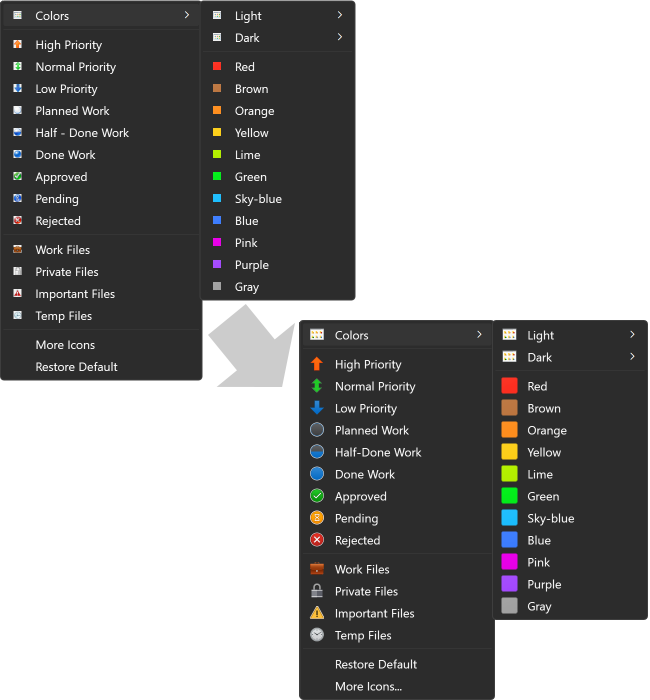
The right-click menu supports now the dark theme of Windows and monitors with high resolution
This means the main part of FileMarker.NET that you see every day (the right-click menu) now looks beautiful and modern.
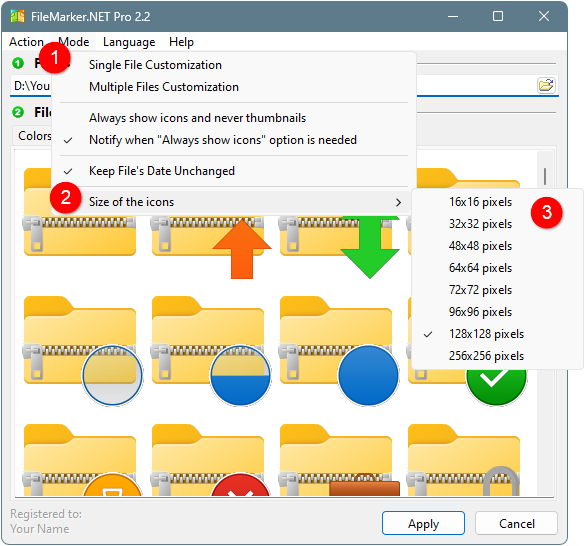
Now you have the ability to change the size of the icons you see in FileMarker.NET and display big, detailed icons
This is especially convenient for those who work on big, high-resolution monitors.
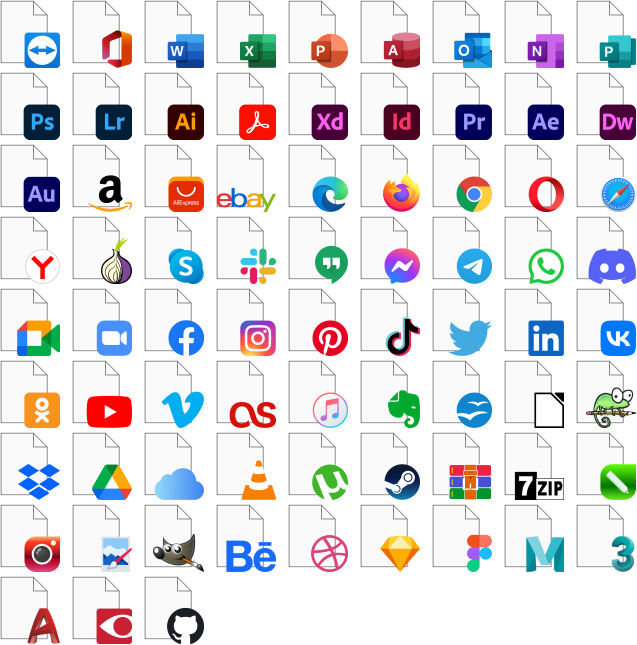
59 new icon labels with logos of the modern apps and services in Pro edition
Additional icon set hat not only an updated icon style, but also is enhanced with 59 new icon labels with logos of the modern apps and services. This update is relevant for Pro version users who use FileMarker.NET on Windows 10 or Windows 11 computers.
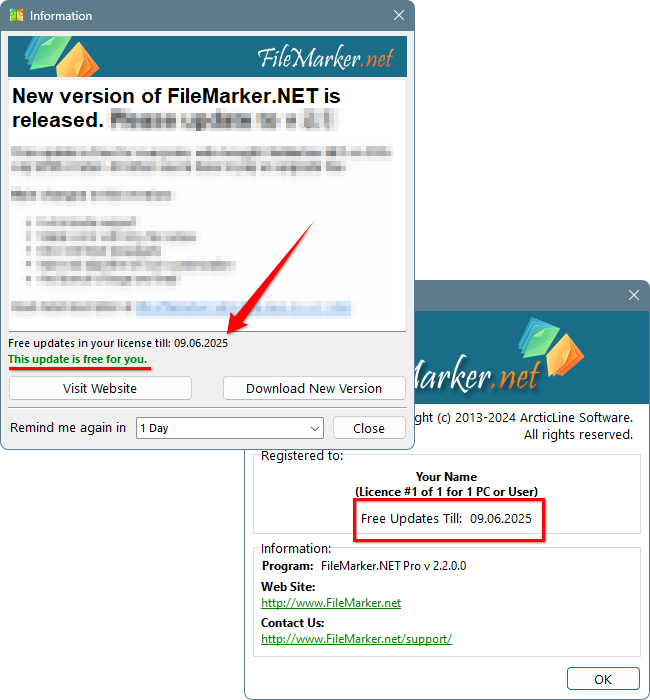
Now you can see if the update is free for you before updating
The update window allows you to check if the update is free for your license or not. You can also open the About window and see the duration of free updates for your license there. This makes our update policy clearer for you, enabling you to make an informed decision before updating.
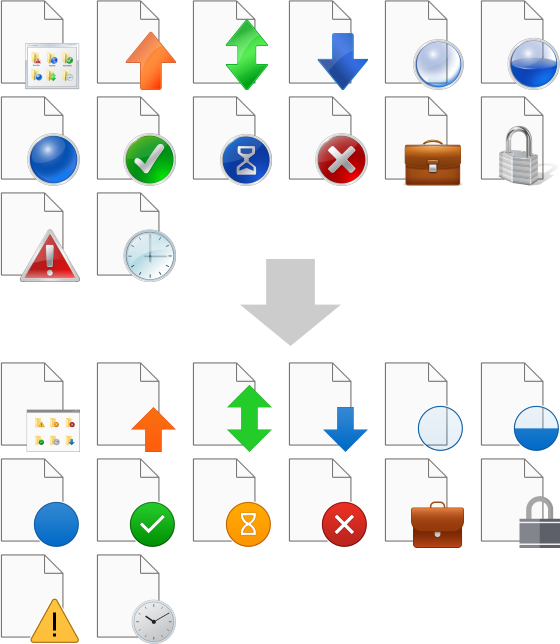
The icons are re-drawn in modern Windows 10/11 style
The style of all icons has been updated to the modern Windows 10/11 style. Users of Windows 10/11 will see customized icons that are more native.
Other changes:
- Now, FileMarker.NET supports the addition of custom icon sets. We will make additional icon sets available for purchase soon.
- The ability to deactivate the license on the computer has been added. This allows you to move your license from an old computer to a new one.
- Now the interface looks better on dual-monitor systems. We have fixed a lot of small bugs that appeared when moving the window from a monitor with one scale level to another.
- The program automatically restarts after entering the license code. This makes the registration procedure a bit easier for you.
- Drag-and-Drop is now more convenient. It takes into account the mode in which you are working (Single or Multiple File Customization). If you drop one file on the main form in Single mode, the program will add this file to a File field. If you drop several files, the program will automatically switch to Multiple mode.
- Now you can customize files with Unicode symbols in their names using the right-click menu.
- Updated the algorithm of Icon Cache Rebuild (command Action -> Refresh System Icons) to make it compatible with Windows 10 and Windows 11.
- Now, FileMarker.NET loads icons from big Icon Libraries much faster.
- Customization of .ico and .icl files is no longer supported because they have their own icons inside, and their customization may cause the operating system to work improperly.
- Now the program saves its position between sessions. If you opened the form on one screen, it will be opened on the same screen in the same position when you open FileMarker.NET next time.
- The Ukrainian translation of the interface has been added. The Russian translation was removed.
- The bug was fixed: The progress bar was not translated.
- The bug was fixed: The error message was shown several times when you customized several files at once. Now all errors are collected and shown in one error message.
- The bug was fixed: Double-clicking on the icon in the icon grid didn't apply the icon.
- Fixed incorrect work of customization of .txt and .pdf files on Windows 10/11.
- Fixed many visual bugs that appeared on HiDPI monitors.
- Other minor bug fixes and visual improvements.